You've got a service people need, a phone full of short videos, and a nagging sense that competitors are getting the inquiries that should've been yours. You boost a post, watch views climb, and wait for the phone to ring. It doesn't. That gap between attention and revenue is where most first campaigns fail, and it's fixable. If you're learning how to run TikTok Ads for a small business or law firm, start with the outcome you can bill against, not the cheapest click.
Table of Contents
How TikTok Ads Work and the Launch Sequence
A family law firm can film a partner explaining custody timelines, run the video as an ad, and get plenty of views without booking a single consultation. The missing piece is a launch sequence built around the business outcome, not attention alone.
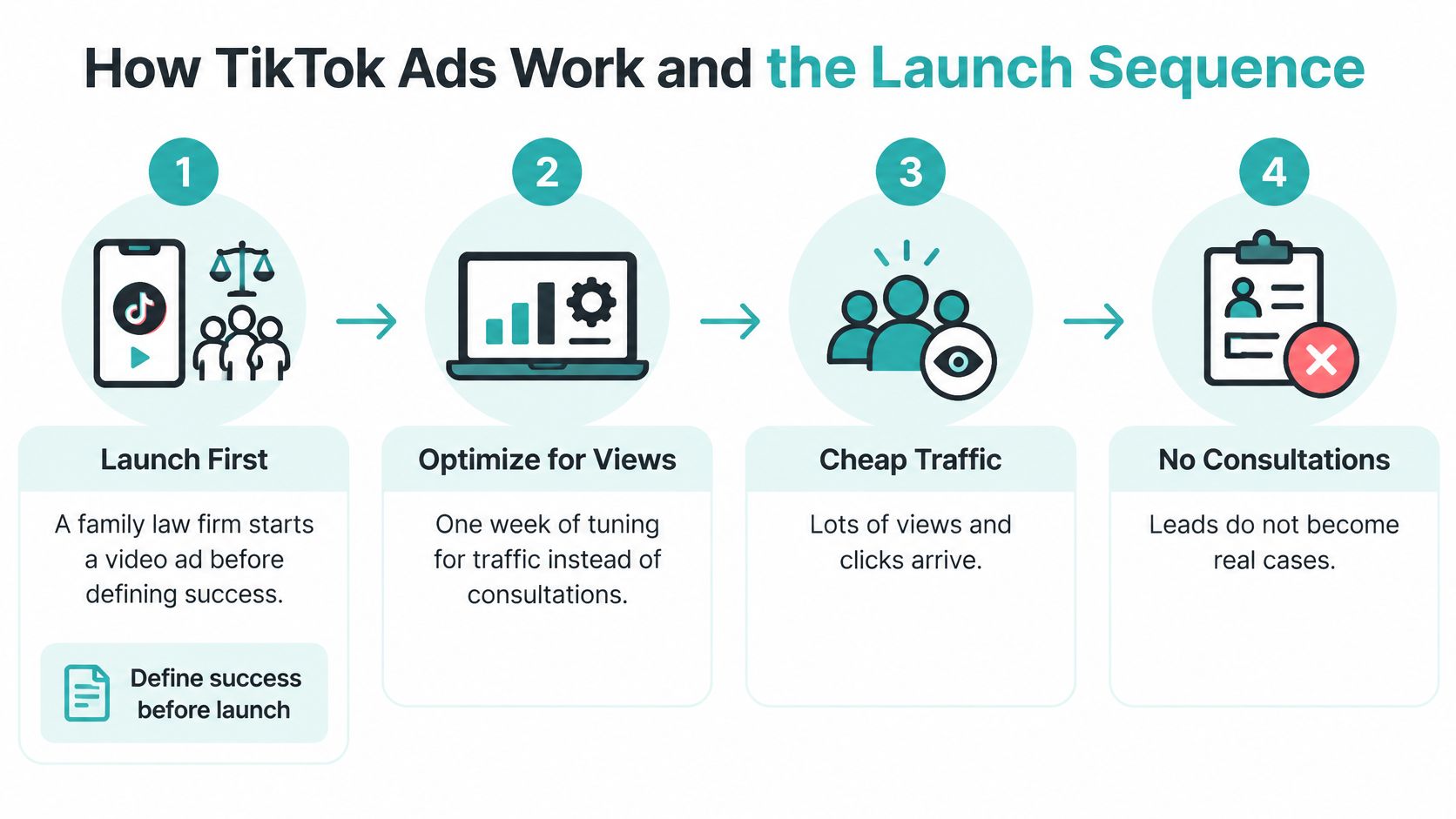
TikTok campaigns pair an objective with an ad format, audience, budget, and bidding method. TikTok's advertising solutions overview describes In-Feed Ads as full-screen, vertical, sound-on videos in the For You feed; TopView as the first ad a user sees when opening the app; and Spark Ads as promotion of existing organic posts, including creator-made videos.
The Five Steps in Order
- Select the objective: Choose website conversions or lead generation when the goal is inquiries. The objective guides what TikTok optimizes for.
- Set budget and targeting: Make sure the audience and spend give delivery room to learn. A very small budget may produce too little evidence to guide decisions.
- Choose a bidding method: Match bidding to the campaign objective. Optimizing for views will not tell TikTok to prioritize consultations.
- Submit the ads: Review covers the creative and destination together. Make sure the claims in the video match the landing page.
- Measure audience response: Compare results with the intended business outcome, including whether inquiries become qualified leads and revenue.
Keep the steps aligned. A video-views campaign can attract viewers while producing few inquiries, even when the consultation offer is strong. Paid campaigns can begin collecting data after launch, but improving efficiency takes ongoing testing, not one afternoon of edits.
Pre-flight test: Write down the business outcome the campaign should produce. Check that the objective, ad, destination, and success measure all support it.
Set Up the Account, Pixel and Budget
Set measurement up first, creative second. If the TikTok Pixel can't see a qualified action, TikTok can't learn to find more people who take it. You'll end up training delivery on page visits from people who never intended to hire anyone.
Measurement First Setup
- Confirm account access: Check who holds admin rights in Ads Manager and Business Center, so billing and pixels aren't controlled by a former employee or vendor.
- Install and test the Pixel: Fire a test visit on the landing page before publishing. TikTok's campaign set-up guidance covers choosing Manual, Search, or Smart+ setup and configuring the objective, optimization goal, budget, schedule, bid strategy, audience, and authorized post or uploaded creative.
- Define one qualified event: Use a completed consultation form or booked call, not a generic page view.
- Build the campaign to match: Select the objective and optimization event that correspond to that action.
- Add UTM parameters: Tag every destination URL by campaign, ad group, and creative so your CRM can trace each lead back to its source ad.
A traffic objective optimizes for landing-page views. A website conversion campaign needs the Pixel event. Those aren't interchangeable. Launching before event validation is the classic pitfall, because missing or duplicate events make cheap, low-intent traffic look successful and corrupt every later decision.
Document your attribution window too. Click-through attribution counts a conversion after a click. View-through counts one after an impression without a click. The window you choose changes reported CPA, so write it into reporting before anyone celebrates a number.
Budget Minimums and Starter Test Sizes
TikTok's budget and bidding FAQ sets a campaign daily or lifetime budget that must exceed $50 and an ad-group daily budget that must exceed $20. TikTok's budget best-practices guidance recommends at least $100 for high-funnel campaigns with no CPA history and 10 × current CPA for deep conversions when CPA is known.
| Budget rule | Minimum or test size | Basis |
|---|---|---|
| Campaign daily or lifetime budget | Must exceed $50 | Campaign-level minimum |
| Ad group daily budget | Must exceed $20 | Ad-group-level minimum |
| Ad group lifetime budget, 31-day flight | At least $620 | $20 × 31 days |
| Shallow or high-funnel campaign, no CPA history | At least $100 | TikTok starter guidance |
| App install campaign, no CPA history | At least $200 | TikTok starter guidance |
| Deep conversion campaign such as Purchase, no CPA history | At least $200 | TikTok starter guidance |
| High-funnel or shallow optimization, known CPA | 50 × current CPA | TikTok guidance |
| App install optimization, known CPA | 20 × current CPA | TikTok guidance |
| Deep conversion optimization, known CPA | 10 × current CPA | TikTok guidance |
Don't set the campaign budget below the ad-group budget, because that creates delivery problems. Check both levels before submitting. If you're still sizing the whole spend, work through the 2026 small business marketing budget guide first, then apply these minimums.
Choose the Ad Format That Fits Your Goal
Format follows objective. Don't start by falling in love with a placement. Start with the action, then pick the format that puts the right viewer closest to it.
| Format | What it does | Best used for |
|---|---|---|
| In-Feed Ads | Full-screen, vertical, sound-on video inside the For You feed | Lead and conversion campaigns built on native-feeling video |
| TopView | First ad a user sees when opening the app | Broad brand moments where maximum visibility justifies the cost |
| Spark Ads | Promotes an existing organic post, including creator videos | Boosting content that already performs organically |
| Lead Generation | Collects inquiries through an in-app form | Consultation or quote requests where form completion is the goal |
| Shop Ads | Shows products from a catalog and links to a shop | Product sales for e-commerce brands |
| Catalog Ads | Dynamic product ads drawn from a product feed | Retargeting and prospecting with a large product range |
For most local service businesses, I'd start with In-Feed Ads pointing to a focused landing page, or a lead form if your follow-up is fast. Spark Ads make sense when a post already holds attention organically. TopView buys maximum visibility, which a small local advertiser rarely needs before proving that an offer converts. Shop and Catalog formats only matter when you're selling products from a feed.
Say a home-services company's best organic video shows a technician diagnosing a leak in real time. That's a Spark candidate. Boost the post that's already earning comments, then send viewers to a booking page, not a generic homepage. If you produce for several platforms, multi-format exports for social channels from Photo Speak can help you keep vertical masters and their derivatives organized before upload.
Strong views in any format can still produce weak leads if the objective rewards views. Format choice also doesn't exempt you from review. When you need the underlying asset built properly, short video production and editing should be planned around the destination and offer, not shot as standalone content.
Build Creatives and Test One Variable at a Time
A strong estate-planning clip doesn't open with the firm's history. It opens with the question people are afraid to ask, names the decision at stake, and ends with one next step. That structure beats production polish.
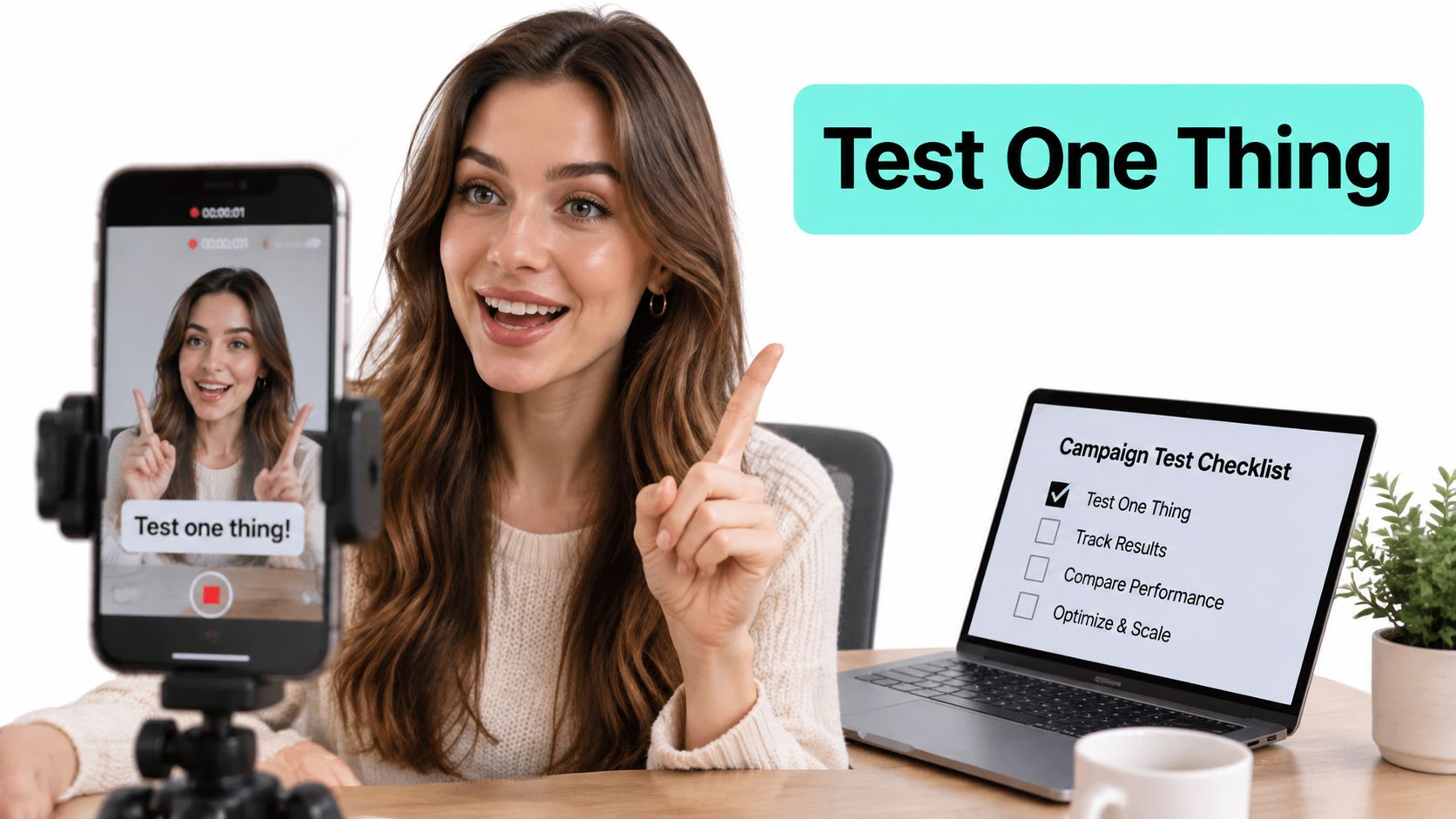
The setup below shows the kind of simple shooting environment that works for this format.
Anatomy of a Working Video
- First-second hook: State the problem or question immediately, in the viewer's language.
- Problem-specific middle: Name the situation, the stake, and one piece of credible proof.
- Captions throughout: Assume some viewers watch with sound off, even in a sound-on environment.
- One offer, one step: Book the consultation or request the quote. Not both, plus a newsletter.
TikTok's ad performance guidance recommends high-resolution assets, clear messaging, and testing combinations of targeting and creative elements. It also notes that traffic can optimize for landing-page views while video views can optimize for six-second views, so your objective must reflect the revenue event. Build several native-feeling videos before launch instead of betting the budget on one. If volume is your bottleneck and you're exploring ways to create AI video ads from Veo3 AI, treat generated variants as test inputs that still need the same hook and compliance review.
Test one major variable at a time, such as the opening hook, proof format, offer, or landing-page angle. Keep the conversion event and budget logic stable while you do it. Use TikTok's Split Test feature for audience or creative hypotheses, and keep shared settings aligned on optimization location, goal, event, and target CPA. The walkthrough below shows a practical way to structure that comparison.
Don't edit daily during the learning period. Frequent budget, bid, audience, or creative changes reset delivery patterns and hide the actual cause of a shift. When a creative tires, refresh it before broadening targeting. Pair these rules with best practices for TikTok ads and organic content so paid tests feed what you publish organically.
Target Audiences and Landing Pages That Pass Review
Start broad enough for TikTok to learn, then structure what matters. For regulated local services, separate campaigns or ad groups by practice area, geography, and intent. A family-law message shouldn't reach someone who needs an immigration consultation, because the landing page, proof, and intake questions are all different.
Exclude existing clients when the goal is acquisition. Retaining current clients and winning new ones are different jobs, and mixing them inflates results while wasting spend on people who'd have called anyway.
The review conversation below covers the destination side, where many otherwise sound campaigns get rejected.
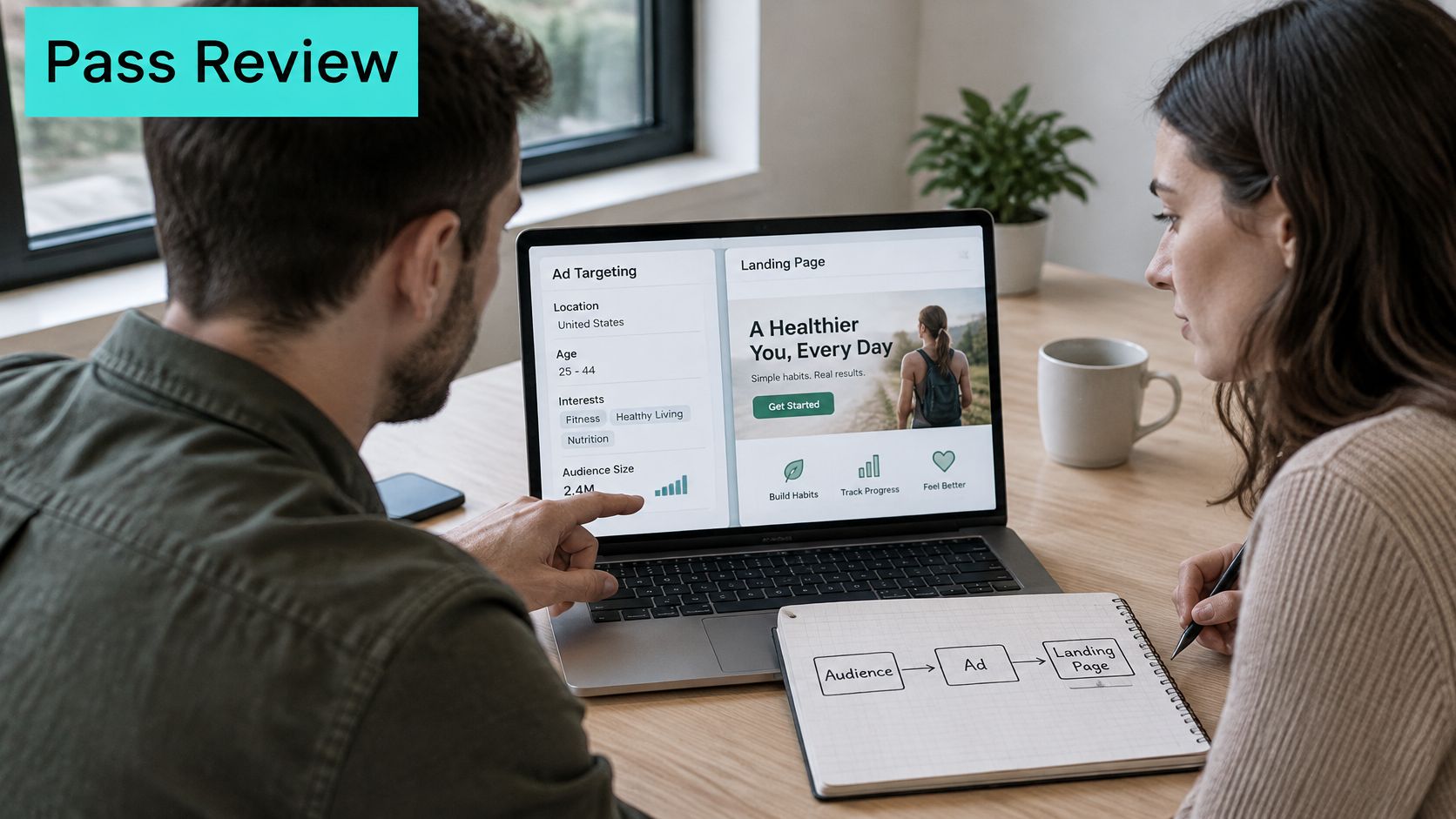
TikTok's ad format and functionality policy requires the destination page to be functional, complete, and mobile-friendly, and disallows expired or under-construction pages, automatic file downloads, required program installs, and pages that demand personal information before the main content. TikTok's misleading and false content policy prohibits misleading or exaggerated claims and before-and-after comparisons that could distort results, and requires promotions, prices, and disclaimers to stay consistent between ad and page.
| Check | TikTok requirement | Pass when |
|---|---|---|
| Page status | Functional, complete, not expired or under construction | Every section loads with final content |
| File downloads | No automatic file downloads | Page opens without triggering a download |
| Program installs | No additional programs required | Visitors reach the content in a browser |
| Personal data gate | No personal information demanded before main content | Main content is visible before any form |
| Mobile fit | Mobile-friendly for the target market | Page works cleanly on a phone |
| Language and currency | Consistent with the target market | Prices shown in local currency |
| Business identity | Business visibly identified with applicable policies | Name, terms and license information visible |
| Ad match | Promise, offer and disclaimers match the ad | Headline and price line match the ad exactly |
Take a Texas roofing company advertising a free inspection. Before submitting, it puts the ad headline beside the page headline, checks the price line and disclaimer word for word, and opens the page on a phone. That's the standard. A purpose-built page from a landing page creation service should pass every row above before any creative is submitted.
Measure Qualified Leads Instead of Clicks
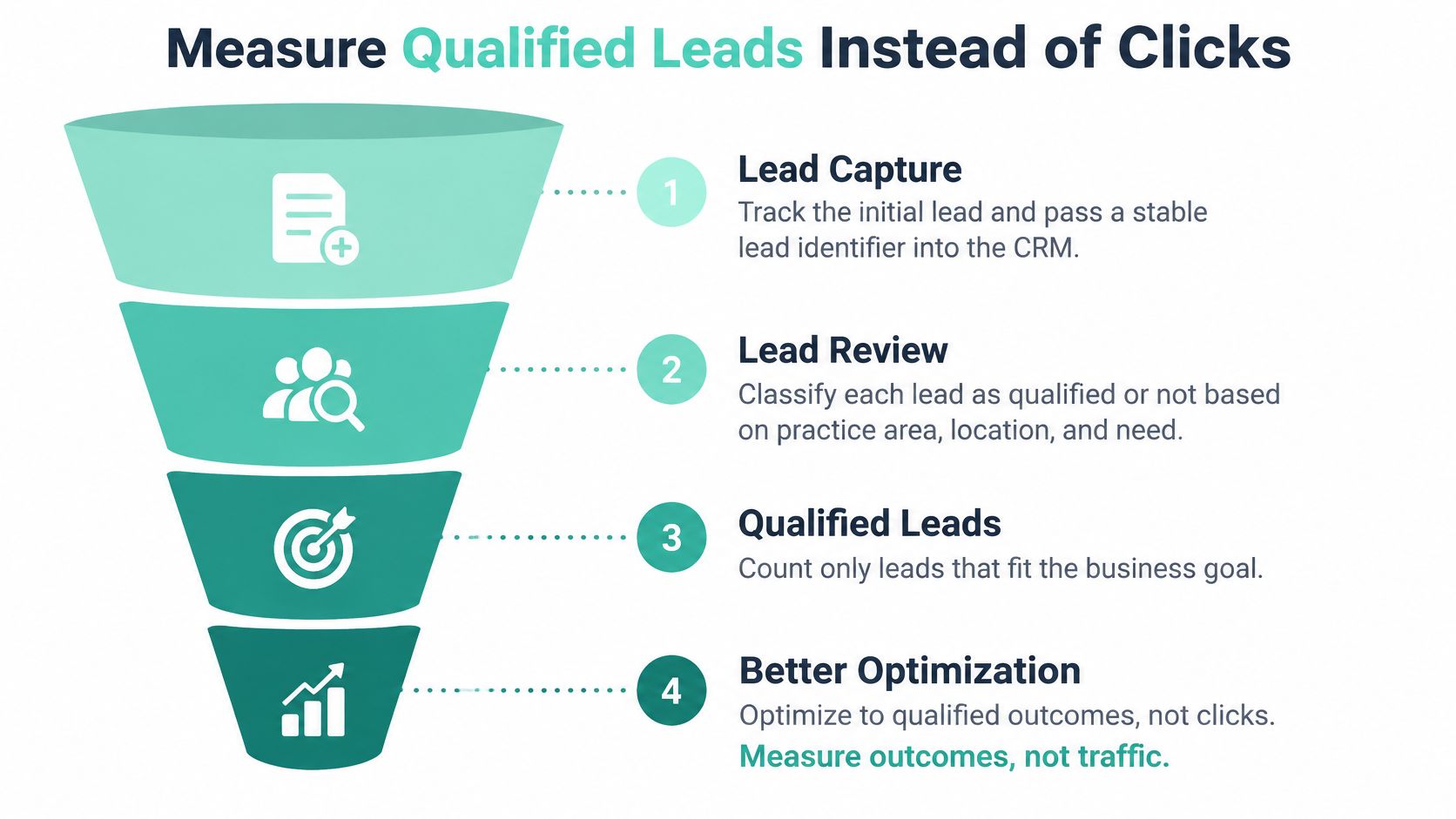
Most guides on how to run TikTok Ads stop at the Pixel and form submissions. That's a poor fit when the key outcome happens offline, weeks later, as a booked consultation or signed matter. A cheap lead outside your practice area or jurisdiction isn't a bargain. It's intake work that produces nothing.
Build the Measurement Chain
- Track the initial lead: Pass a stable lead identifier into your CRM at submission, so the inquiry keeps its campaign history.
- Classify every lead: Mark it qualified or not based on practice area, location, budget, and fit. Do this quickly, while intake still remembers the call.
- Send downstream events back: Return booked consultations, signed matters, or completed jobs where legally permitted.
- Reconcile against revenue: Compare TikTok-reported conversions with CRM outcomes, and run a holdout or geo test when you can.
TikTok's Events API documentation states that TikTok supports web, app, and offline data connections, including CRM data, for measurement, optimization, and audience creation. It also notes that modeled conversions may be reported when actual conversions are unobservable. Treat modeled and view-through numbers as estimates and attribution conventions, not proof of incremental sales. Document the window in every report.
Say a firm's cheapest TikTok leads come from a neighboring state it can't serve. Platform CPA looks excellent. Signed matters stay at zero. Optimizing toward that signal actively reduces return, because delivery gets better at finding people you can't help. Feed qualification back into optimization and the same budget starts finding work instead.
| Metric | What it reveals | Where to check |
|---|---|---|
| Landing-page view rate | Whether ad viewers actually reach the page | Ads Manager and page analytics |
| Form completion rate | Whether the landing page converts interest into inquiries | Landing page analytics |
| Qualified-lead rate | Share of leads that match practice area, location and budget | CRM |
| Cost per qualified inquiry | True acquisition cost for usable leads | CRM combined with ad spend |
| Frequency | Whether the same viewers are seeing the ad too often | Ads Manager |
| Booked appointments or signed matters | Revenue impact after the attribution window closes | CRM |
Judge success after the attribution window closes, on cost per qualified inquiry and booked outcomes. If your team still reports a single blended figure, align definitions using this explanation of what a conversion rate is and how to calculate it, then separate raw leads from qualified ones in every dashboard.
Confirm Your First Test Campaign Before Launch
Run this go or no-go check before you submit anything. If one item fails, fix that item. Don't compensate by raising the budget.
- Name the outcome: One business result, such as a booked consultation, with a Pixel event confirmed firing on that action.
- Set the budget: At or above campaign and ad-group minimums, and at or above the starter test size for your objective. Your plan must cover ad spend paid to the platform plus creative production costs as separate lines.
- Prepare the assets: Three creatives that differ in hook only, plus one mobile-first landing page that matches the ad promise.
- Document measurement: Write down the attribution window and the CRM fields that mark a lead qualified.
- Set the review date: Put it after the learning period, and leave the campaign untouched until then.
Know your costs in full before you start. Our TikTok Ads start at $495 USD per month and turn short video ideas into campaigns built around your audience and offer. Advertising spend isn't included in that fee. Your ad budget is paid separately to the platform, and software or platform costs are confirmed before starting.
At review, scale only if cost per qualified inquiry holds within target across the full attribution window. Paid campaigns can begin collecting data after launch, but efficiency improves through testing over time. If the number misses, change one variable and retest. Don't rebuild everything at once.
Measure the qualified lead, not the click.
If you'd rather not build the Pixel events, landing page, creative tests, and CRM feedback loop on your own, we can set up and manage that system around your offer and audience. Visit SimpleLab Digital to plan a first TikTok test that's judged on qualified inquiries and booked consultations, not cheap views.