In 2011, search generated $14.8 billion in U.S. revenue, representing 46.5% of all internet advertising revenue, compared with $11.1 billion for display-related advertising, or 34.8%, according to the IAB Internet Advertising Revenue Report FY 2011. That early gap still frames the search advertising vs display advertising choice today, but it doesn't tell you which channel earns your next dollar. Search captures people who've already stated a need, while display influences people before they've searched, between searches, or after they've visited and left.
For most small businesses and law firms with defined service demand, fund search first, add remarketing display once the search funnel converts, and test prospecting display in one region. Judge both channels by cost per qualified consultation and incremental revenue, not clicks or last-click return on ad spend. That's the standard that prevents search from taking credit for demand display created, and prevents display from hiding behind cheap impressions.
Table of Contents
- How a Law Firm Query Behaves in Search
- Why Display Buys Scale at a Different Risk
- Creative Isn't Interchangeable
- The Decision Test
- How to Read These Benchmarks Without Misallocating Budget
- Split the Account Before You Judge It
- Measure Incrementality and Qualified Revenue
- Run a Holdout You Can Actually Afford
Search and Display Side by Side
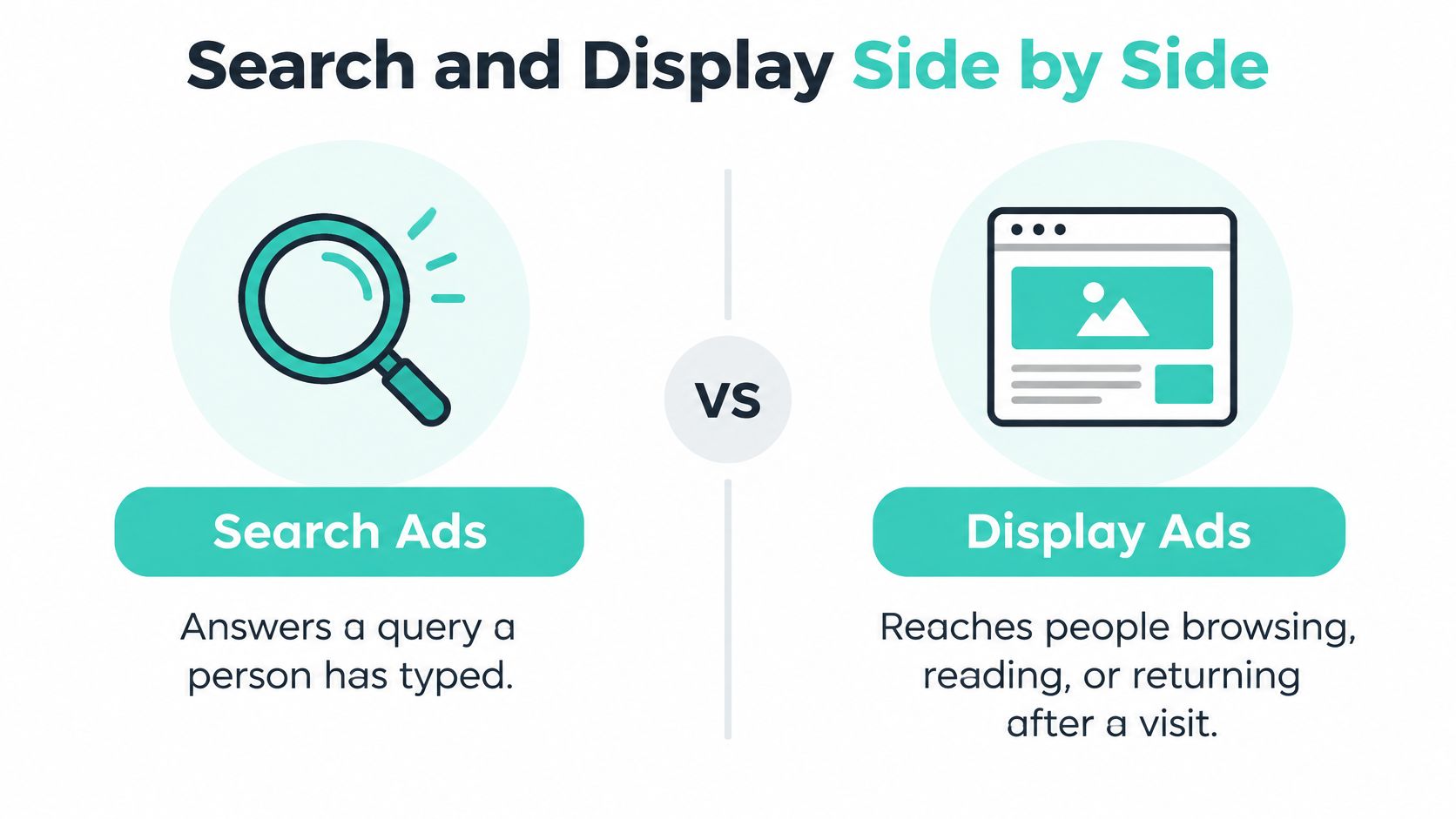
Search ads answer a query a person has typed, while display ads reach people who are browsing, reading, or returning after a visit. That one difference drives targeting, creative, pricing, and measurement. Scan the contrast before you allocate anything.
| Criterion | Search advertising | Display advertising |
|---|---|---|
| Primary intent | Active query signals a need now | Reach while browsing, reading, or after a visit |
| Targeting basis | Keywords, match types, location, device, schedule | Audiences, contextual topics, placements, remarketing lists |
| Where ads appear | Search results beside the query | Websites, apps and video inventory across networks |
| Creative | Text headlines, descriptions, call and location extensions | Banners, native, video and rich media in set sizes |
| Best-fit goal | Capturing defined service demand and calls | Recognition, reminders and re-engaging visitors |
| Measurement | Cost per qualified consultation, split by brand and non-brand | Incremental and assisted conversions, branded-search lift |
What Market Scale Proves and What It Doesn't
In 2024, U.S. internet advertising revenue reached $258.6 billion, with search accounting for $102.9 billion, or 39.8% of the total, while display generated $74.3 billion, or 28.7%, according to IAB reporting on digital ad revenue in 2024. Search grew 15.9% year over year, compared with 12.4% for display in that same reporting. Those are spending shares, not proof of better return, conversion rate, or client quality for your firm.
Direct answer: If people search for your exact service by name and location, search has a job today. If they don't know your firm exists, display has a different job.
The two formats answer different questions. Search asks who's looking for this service now, while display asks who could recognize or remember the firm later. They're usually complementary rather than competing for one budget line, which is why a scan of online advertising platforms to know in 2026 helps before you lock a mix. Even outside legal services, visual presentation shapes first impressions, and design perspectives for beauty and fashion from Wecomeet show how much recognition depends on a clear, repeatable look before a customer ever searches.
How Intent, Targeting and Creative Differ
The dashboard view below captures the practical split you're managing, keyword performance on one screen and visual placements on another.
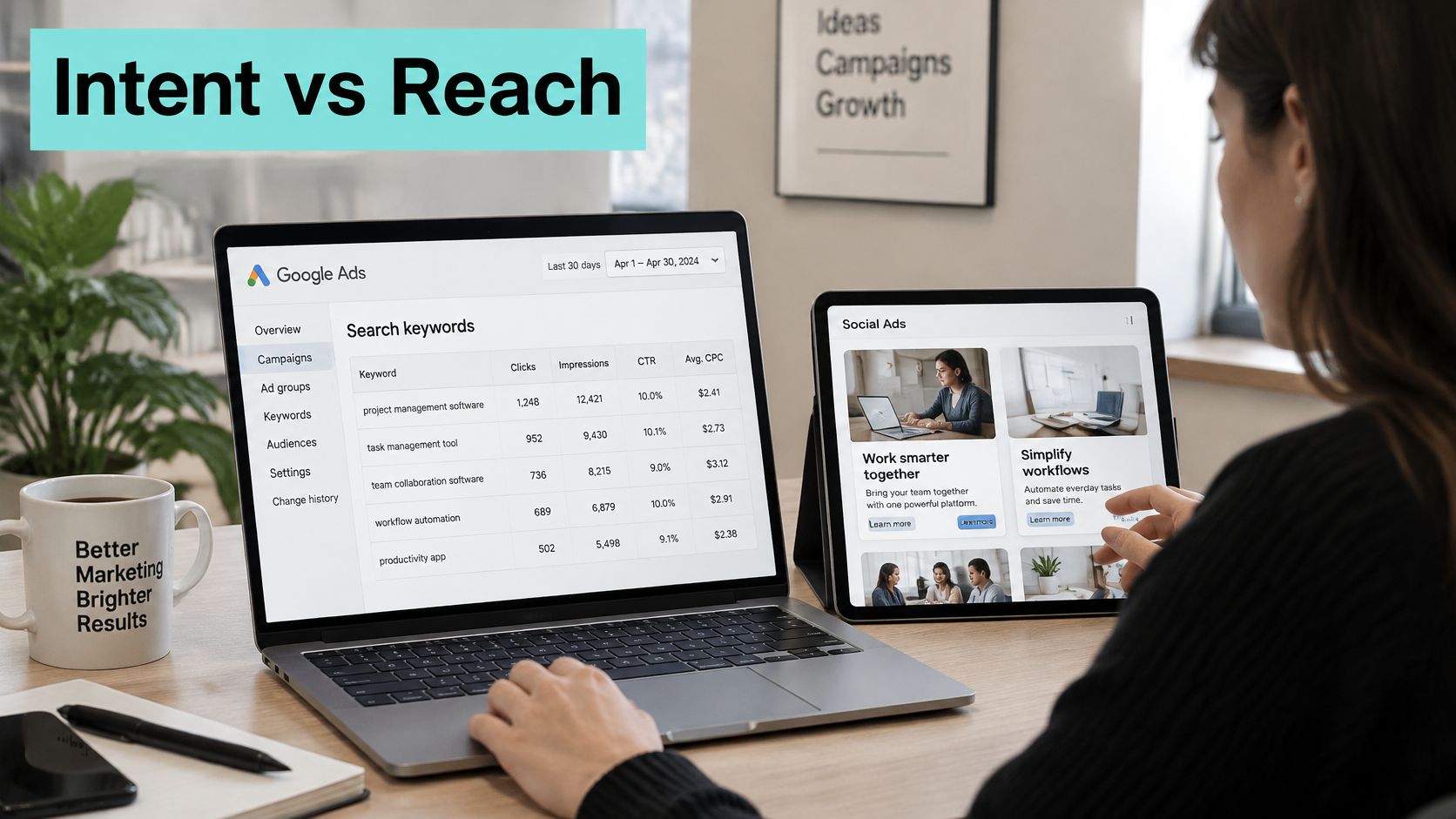
Search runs on keywords, match types, locations, devices, and schedules. You bid for a query, and your ad sits beside an explicit request for information or help. Display runs on audiences, contextual topics, placements, and remarketing lists, so your ad can appear beside content that has nothing to do with the service you're selling.
How a Law Firm Query Behaves in Search
Say a family law firm builds a tightly themed ad group around divorce attorney plus city modifiers. Someone typing that phrase is usually comparing firms, checking location, or looking for a phone number, so the ad, call asset, and landing page should all answer that exact need. A broad query like what is probate behaves differently, because the person may want a definition for a school paper, a family conversation, or a DIY filing.
You filter that second group with negative keywords, tighter match types, and location settings that match your service area. Without those controls, you'll pay for informational clicks that never had buying intent and then blame search for poor lead quality. With them, you learn which practice area terms produce contacted, qualified inquiries and which only produce traffic.
- Tightly themed ad groups: Keep divorce, custody, and estate planning in separate groups so headlines and landing pages match the query.
- Negative keyword lists: Exclude jobs, free, DIY, forms, salary, and definition-seeking terms that signal a different job.
- Call and location assets: Make the next step visible before the click, especially on mobile searches during office hours.
- Schedule and location limits: Bid where you can serve clients and when someone can answer or return calls promptly.
Why Display Buys Scale at a Different Risk
Search captures a relatively small set of query opportunities, while display accesses much larger contextual, behavioral, and remarketing inventory. A benchmark lists median CPM at about $38.40 for Google Search placements versus $3.12 for Google Display, while placing typical Display CTR near 0.35%, according to Benchmarketing display ad benchmarks. That cost gap explains why display looks efficient in a spreadsheet and disappointing in a CRM if you judge it like search.
Cheap inventory gives you reach, frequency, and room to nurture long consideration cycles. It also brings accidental taps, low-intent clicks, and weak post-click engagement, because the person didn't ask to see your ad. You control that risk with placement exclusions, frequency caps, viewability settings, and a hard separation between prospecting display for cold audiences and remarketing display for people who already visited.
Don't merge prospecting and remarketing into one display campaign. You'll average a warm audience with a cold one and learn nothing about either.
Remarketing deserves its own budget cap and message because the visitor has context. Someone who read your estate planning page and left needs a reminder about the consultation, the documents to bring, or the attorney's credentials. Someone who's never heard of you needs recognition first, and that job takes more impressions with a lower expected click rate.
Creative Isn't Interchangeable
Search creative is text that repeats the searched service in the person's own language. If the query is estate planning attorney, the headline should say estate planning attorney, the description should name the location and next step, and the click should land on the estate planning page, not your homepage. Sitelinks can point to wills, trusts, and probate, but the main promise must match the query that triggered the ad.
Display creative has seconds to register while a person reads something else. Your firm name, service, location, and one clear visual cue must survive a glance, across banner, native, and video sizes. If you produce animated or video variants, resources on video animation services from Moonb can help you judge what a short, readable sequence requires before you brief production.
This video walkthrough is useful for seeing how the two formats present side by side in an account.
Rotate display creative every few weeks, because the same banner stops being seen even when it's still being served. Test one change at a time, such as the headline, the photo, or the call to action, so you know what moved response. Keep a simple naming system by audience, message, and date, or you'll lose track of which version fatigued.
For law firms, creative review isn't optional polish. Avoid outcome promises, check your state advertising rules, and keep testimonial and credential claims verifiable and current. The same discipline applies on social placements, as covered in guidance on Facebook advertising for attorneys that stays bar compliant.
The Decision Test
Ask whether the person already knows they need the service and can name it in a search box. If yes, search can capture that demand efficiently if your landing page and intake process are ready. If no, you're asking display to create recognition or restart a stalled decision, and you should measure it over a longer window with different expectations.
Many firms need both answers at different moments. A person may see a display ad in March, search your firm name in April, and call in May after a life event forces action. Your account structure has to preserve that sequence instead of forcing every dollar to prove itself on the day it was spent.
Costs, Benchmarks and Measuring Client Impact
Start with the numbers, then read them against intent. A blended benchmark hides the whole story.
| Metric | Search | Display | Note |
|---|---|---|---|
| Average click-through rate | 6.64% | About 0.35% to 0.46% | Two benchmarks; display varies by source |
| Average conversion rate | 8.18% | 0.77% | Search from 13,000+ U.S. campaigns; display from a GDN benchmark |
| Average cost per click | $5.42 | About $0.68 to $0.89 | Computed from $3.12 CPM at 0.35% to 0.46% CTR |
| Cost per lead | $66.69 | About $88 to $116 | Computed from derived CPC at 0.77% conversion rate |
| Median CPM | $38.40 (Google Search placements) | $3.12 (Google Display) | Compares auction cost, not outcomes |
| Management fee from | $495 per month (Google Ads) | Covered under Google Ads from $495 per month | Ad spend billed separately |
| Bundled package from | $990 per month | $990 per month as a package starting point | Ad spend billed separately |
How to Read These Benchmarks Without Misallocating Budget
In a large WordStream/LocaliQ benchmark covering more than 13,000 U.S. campaigns from April 2025 through March 2026, search averaged a 6.64% click-through rate, an 8.18% conversion rate, a $5.42 cost per click, and a $66.69 cost per lead, while an independent benchmark reports approximately 0.46% average CTR and 0.77% average conversion rate for Google Display Network campaigns, as summarized in AI Digital guidance on CTR for display ads. Those gaps are real, but they're the expected result of different intent environments. Search meets an active request, while display interrupts or reminds.
Don't use that gap as a verdict. If you compare only CTR, you'll starve any activity that happens before the search. If you compare only CPM, you'll buy a flood of impressions that may never become consultations.
Budget arithmetic check: $1,500 at a $5.42 CPC buys about 277 search clicks, while $1,500 at a $3.12 CPM buys about 481,000 display impressions. Those outputs aren't comparable units, so don't rank them as if they were.
Work the arithmetic through to qualified outcomes. At search benchmark rates, 277 clicks at an 8.18% conversion rate produce roughly 23 leads before qualification filters, and your intake team still has to separate real consultations from wrong practice areas, wrong locations, and price-only shoppers. On display, hundreds of thousands of impressions may produce a modest number of clicks, but the larger effect, if it exists, shows up later as branded searches, direct visits, and calls that last-click reporting credits elsewhere.
Our Google Ads management starts at $495 USD per month and puts a relevant offer in front of people searching for your products or services. Our marketing packages start at $990 USD per month, with advertising spend separate, and advertising spend isn't included in the monthly management fee because the ad budget is paid separately to the advertising platform. Keep those lines separate in your own budget too, and review what advertising on Google really costs before you set a test amount.
Other verticals face the same trap. Guidance on Google advertising for dropshipping from AdLibrarySpy shows how product sellers also separate prospecting reach from search capture, even though their conversion is a purchase rather than a consultation. The channel logic transfers, but your qualification standard shouldn't, because a retained client is worth more scrutiny than a single order.
Split the Account Before You Judge It
Report four buckets separately, every time.
- Branded search: Queries containing your firm or business name, which often capture people who've already decided to find you.
- Non-branded search: Practice area and service queries, such as estate planning attorney or emergency plumber, where you're competing for undecided demand.
- Remarketing display: Ads to prior visitors, segmented by page viewed and recency, with frequency caps.
- Prospecting display: Ads to cold audiences by context, topic, or audience segment, capped by geography for local firms.
Mixing branded and non-branded search flatters search performance. Branded clicks convert at high rates because the persuasion happened earlier, through a referral, a display impression, a review, or prior research. If you let branded results subsidize weak non-branded terms, you'll scale queries that don't create new demand.
Mixing prospecting and remarketing display does the opposite damage. Remarketing can look strong enough to hide prospecting waste, or prospecting volume can drag down a remarketing program that's recovering stalled consultations. Separate budgets force an honest keep, cut, or fix decision for each job.
Measure Incrementality and Qualified Revenue
A recent systematic review of 108 marketing-measurement studies found that machine-learning attribution can improve prediction while remaining causally unidentified without experimental calibration, and reported that privacy-preserving methods can reduce precision by 2–33%, depending on the privacy budget, according to a systematic review published via Springer. In plain terms, your platform dashboard can predict patterns without proving that an ad caused an extra consultation. You need a test, not just a report.
Build the measurement setup this month. Put consistent UTM parameters on every ad link, naming source, medium, campaign bucket, and creative. Add call tracking on ads and landing pages, record call outcomes where permitted, and reconcile tracked calls against your phone log so missed or short calls don't count as leads.
Then import CRM stages back into your analysis. Mark each inquiry as contacted, consulted, qualified, retained, or not a fit, with the practice area and location attached. When you optimize bidding or budgets toward form submissions alone, you'll reward campaigns that generate easy, low-quality inquiries, including job seekers and people outside your service area.
A high search conversion rate is worthless if calls go to voicemail during lunch and forms sit unanswered until the next morning. Fix intake before you increase spend.
Run a Holdout You Can Actually Afford
Pick two comparable regions, service areas, or office territories. Run prospecting display in one and pause it in the other for several weeks, while keeping search, landing pages, and intake handling as consistent as you can. Compare qualified inquiries, branded search volume, direct calls, and consultations, not just clicks, over a 30 to 90 day cohort window.
You can also pause branded search briefly if your organic listing and local profile are strong enough to catch navigational queries. If total qualified inquiries hold steady, part of that branded spend was paying for demand you'd have received anyway. If inquiries drop, you've learned that competitors or aggregators intercept your name when you step away.
Neither test is perfect on a small budget. Seasonality, referrals, local news, and competitor launches can move results, so note them in a simple change log. A flawed holdout with honest notes still beats last-click certainty, because it forces you to ask whether the channel created an additional client or merely touched one who was already coming.
Judge each bucket by cost per qualified consultation and revenue per dollar over that cohort window. Keep display that lifts branded demand and qualified pipeline even when its last-click cost looks high. Cut search terms that produce cheap leads your team can't retain, even when the platform reports a strong return.
Which Channel Fits Your Business Situation
Your situation sets the lead channel. The table maps five common cases, then the reasoning shows how to transfer the logic.
| Situation | Lead channel | Support channel | Why |
|---|---|---|---|
| Single-city estate-planning firm with defined practice areas | Non-branded search on practice-area terms | Remarketing display to visitors of service pages | Demand is explicit; display re-engages people still deciding |
| Home-repair business with emergency services | Search with call and location extensions | Display deferred until the first test ends | Urgent queries convert; display adds little in the first test |
| Real-estate boutique with long decisions | Branded and transactional search | Prospecting display in the local market | Long consideration needs recognition before the search |
| Multi-location clinic opening a new site | Local search with a page per location | Local display awareness around the new site | Each branch needs its own query and page |
| Immigration practice with mixed query types | Search ads on service-specific terms | Content and remarketing for research-stage visitors | Separates people ready to book from people researching |
Reading the Cases
The estate planning firm can name its services the way clients search for them, so non-branded search leads. Remarketing display earns a small, capped role for visitors who read wills or trusts pages but didn't book, because those decisions often stall on family timing rather than price. Broad prospecting display waits until that core proves it can produce qualified consultations.
The emergency home-repair business shouldn't split a small first budget. A burst pipe search needs a call button, service area confirmation, and hours, not a banner seen last week. Display can test later for seasonal services, but it shouldn't dilute the first read on urgent demand.
The real-estate boutique faces the opposite timing. Buyers and sellers research for months, attend open houses, and ask friends before they search a brokerage name. Prospecting display in the local market builds recognition during that window, while branded and transactional search captures the moment they're ready to talk.
For the multi-location clinic, structure is the strategy. Each branch needs its own location page, local search campaign, and call tracking number, or you'll send patients to the wrong site and misread demand. Display awareness stays tight around the new location rather than spreading across every market you serve.
The immigration practice must separate readiness. Service-specific search terms, such as a named visa or consultation intent, belong in campaigns built to book. Research-stage visitors need clear content and remarketing that answers process, timing, and document questions without pushing them to convert before they're ready.
Timelines for results depend on the service, starting point, budget, and competition. Paid campaigns can begin collecting data after launch, but content and organic search usually need a longer period to develop, so review the channel decision after the first full test cycle rather than after the first week. A broader primer on pay per click for small businesses can help you set that first cycle.
Choose Your First Channel Before Scaling Budget
For most small businesses and law firms with defined service demand, fund search first because it meets people who've already stated a need. Use our guide on working through core decisions before launching a search advertising campaign, then follow this sequence.
- Confirm the offer and path: Name the service, the landing page, the form, and the phone line that will handle inquiries.
- Build search tightly: Launch your highest-value practice areas with negative keywords, location limits, and call tracking, and check the economics against how to calculate break-even ROAS the right way.
- Run and record: Give search 60 to 90 days and record cost per qualified consultation by branded and non-branded terms.
- Add remarketing display: Target site visitors only once the search funnel converts and intake responds reliably.
- Test prospecting display narrowly: Run it in one region and keep it only if qualified inquiries and branded search rise.
AI-generated answers change the weight you give recognition. Separate 2025 reporting citing Pew Research Center data stated that only 8% of Google users clicked a standard result when an AI-generated summary appeared, compared with 15% when no summary was present, according to Basis reporting on programmatic advertising trends shaping 2026. Fewer observable clicks make branded-query growth, direct traffic, and call volume part of the decision, not side metrics.
Our packages include advertising, content, landing page, and follow-up, but don't include full SEO services or phone-call handling, so scope organic work and intake coverage separately. The budget follows qualified results, not click counts.
If you're weighing search against display on a limited budget, we can help you fund the channel that captures existing demand first, then test display against qualified consultations with call tracking and CRM stages in place. Visit SimpleLab Digital to review Google Ads and bundled package options and choose a starting scope that matches your service, market, and intake capacity.